Ask AI
Algolia has now integrated AI chat in their search features! :)
This small addition brings a major upgrade to the Spider-Analyzer documentation experience.
Finding the exact information or configuration you need just got a whole lot faster with the integration of Ask AI.
What is Ask AI?
Powered by Algolia’s DocSearch Ask AI, this new feature transforms our documentation from a static reference manual into an interactive assistant.
Instead of scanning through pages of search results, you can now ask questions in natural language and receive a direct, synthesized answer.
Ask AI works in all languages supported by the LLM, even if the documentation is only in English.
The LLM is powered by Google Gemini 2.5.
How it Works
The "Ask AI" tool uses the existing Spider documentation as its sole source of truth.
When you type a query into the search bar:
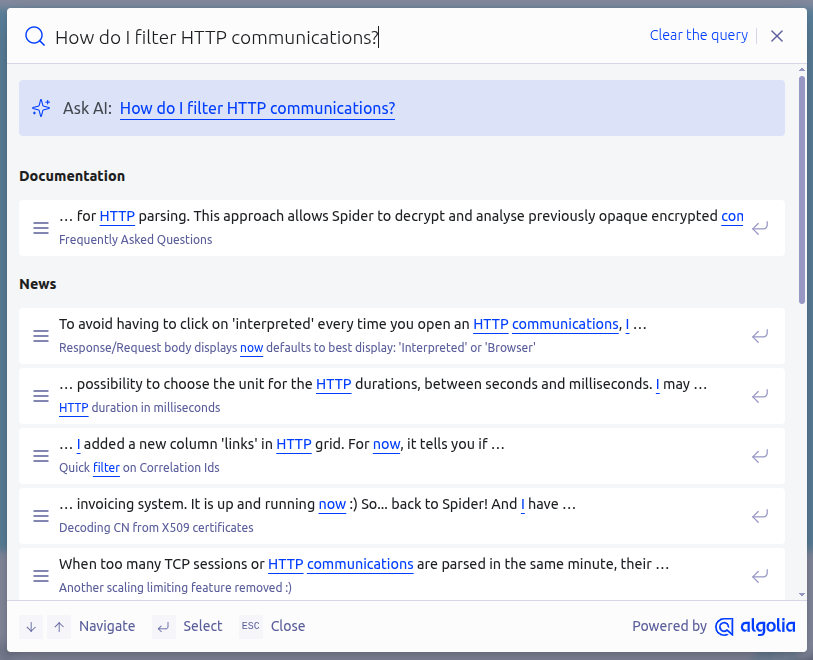
- The AI understands the intent behind your question, not just the keywords.
- It then searches for relevant pages of the official documentation based on your intent, ensuring you get the most relevant results.
- It reads and synthesizes the pages to return a concise explanation along with links to the relevant sections for deeper reading.
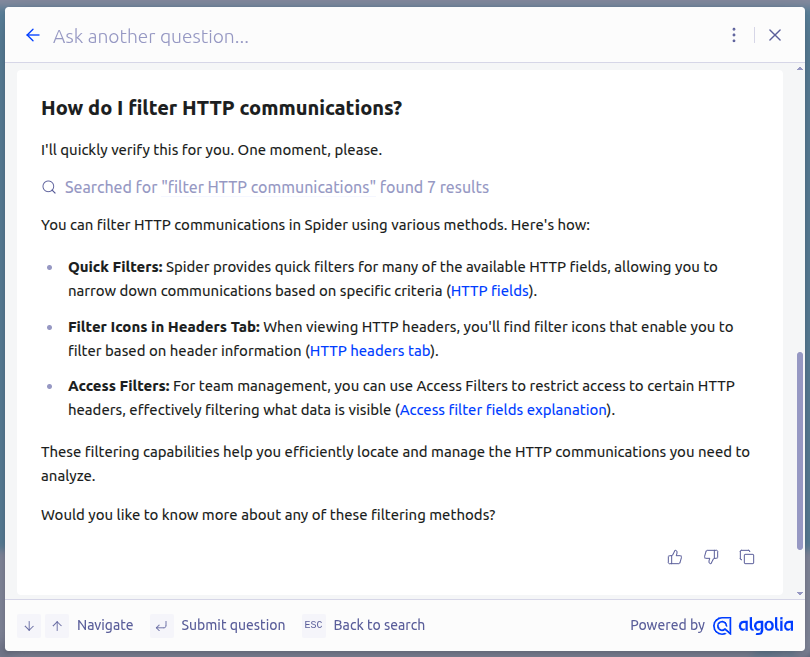
Why I Added It
Because it is fun, faster, and a much more natural way to ask questions.
Learnings
After a few testing, it indeed is fun! 🤩
However I can tell that for precise answers... I need to enhance the documentation for more precise listing and examples 😅
Try it Now
Look for the search bar above - or press Ctrl+k anywhere on the page.
Simply type your question, and let the AI do the heavy lifting for you.
Happy chatting!